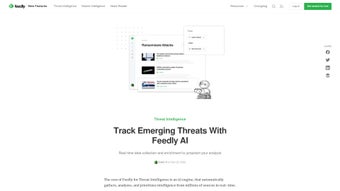

Download Feedly – AI‑Driven Threat Intelligence, Real‑Time Cyber Monitoring Tool
Overview
Feedly for Threat Intelligence is a cloud‑native web platform that redefines how security teams gather, filter, and act on cyber‑threat information. Built on a sophisticated artificial‑intelligence engine, the service continuously crawls thousands of open‑source feeds, dark‑web forums, vendor advisories, and proprietary threat‑intel repositories. Once the raw data is collected, the AI applies natural‑language processing, machine‑learning deduplication, and semantic ranking to turn noisy streams into concise, prioritized alerts that match each organization’s risk profile.
Analysts can create custom AI Feeds using Boolean logic, tags, and risk scores, ensuring that the output is tailored to industry‑specific vulnerabilities, emerging exploit trends, and threat‑actor tactics. The platform’s “single pane of glass” view consolidates vulnerability tracking, threat actor profiling, and real‑time alerting, allowing SOC analysts, threat‑hunters, and CISOs to stay ahead of zero‑day disclosures without drowning in irrelevant noise. Continuous learning mechanisms adapt to user feedback, gradually improving relevance and reducing false positives.
Whether you manage a small security team or a large, distributed SOC, Feedly’s secure, scalable architecture delivers a unified, up‑to‑date cyber posture that aligns with compliance requirements and board‑level reporting needs. The solution is delivered as a SaaS application, meaning updates, patches, and new AI models are rolled out automatically, guaranteeing that users always work with the latest threat‑intel capabilities without manual intervention.
Key Features, Compatibility, and Pros & Cons
- AI‑Powered Aggregation: Harvests data from over 10,000 sources, including CVE databases, security blogs, and dark‑web chatter.
- Custom AI Feeds: Drag‑and‑drop builder lets users define precise filters using Boolean operators, tags, and risk scores.
- Automatic Deduplication & Summarization: Machine‑learning models remove duplicate entries and generate concise article summaries.
- Real‑Time Alerts: Configurable push notifications via email, Slack, Microsoft Teams, or SMS for high‑severity threats.
- Threat Actor Profiling: Enriched intel on adversary groups, mapping tactics, techniques, and procedures (TTPs) to MITRE ATT&CK.
- Vulnerability Tracking Dashboard: Visual heatmaps, timelines, and asset‑mapping tools for CVE exposure.
- Collaboration Suite: In‑app commenting, tagging, and sharing to streamline analyst communication.
- Secure Cloud Architecture: End‑to‑end TLS encryption, role‑based access control, SOC 2, ISO 27001, and GDPR compliance.
- Continuous Learning: The AI engine refines relevance based on thumbs‑up/down feedback loops.
- Integration Friendly: RESTful APIs, webhooks, and native connectors for SIEM, SOAR, and ticketing platforms.
Feedly’s compatibility spans every modern browser, making it accessible on Windows 10/11, macOS 12+, most Linux distributions, as well as mobile browsers on iOS and Android. Because the service is fully web‑based, there is no client‑side installation; users simply log in from a supported browser and instantly gain access to the full feature set. For organizations with strict data‑residency requirements, a private‑cloud deployment option mirrors the SaaS experience while keeping data behind corporate firewalls.
Pros
- AI‑driven aggregation dramatically cuts manual research time.
- Highly customizable feeds focus on industry‑specific threats.
- Real‑time alerts keep teams instantly informed of critical vulnerabilities.
- Seamless integration with existing SIEM, SOAR, and ticketing tools.
- Robust security with encryption, MFA, and multiple compliance certifications.
- Scalable SaaS model eliminates hardware maintenance and patch management.
- Continuous learning improves relevance as users interact with the system.
Cons
- Requires a reliable internet connection; offline capabilities are limited.
- Initial AI feed configuration may present a learning curve for new users.
- Full‑feature pricing can be high for very small teams or startups.
- Quality of third‑party data sources varies and may need manual vetting.
- Improperly tuned alert thresholds can generate noise if not regularly reviewed.
Installation, Setup & Daily Usage
Feedly for Threat Intelligence is delivered as a SaaS web application, which means there is no traditional download or client installation. Getting started involves creating an account, securing the workspace, connecting data sources, and building custom AI feeds. Below is a comprehensive step‑by‑step guide that covers everything from the first sign‑up to daily operational habits.
- Create an Account: Navigate to the Feedly website, select the “Threat Intelligence” tier, and register with a corporate email address. An automated verification link is sent to confirm ownership.
- Secure Your Workspace: Activate multi‑factor authentication (MFA) and assign role‑based permissions (Analyst, Manager, Administrator) to enforce the principle of least privilege.
- Connect Data Sources: Within the Settings panel, link external feeds such as NVD, AlienVault OTX, vendor advisory RSS feeds, or commercial threat‑intel APIs using API keys or URLs. Feedly will auto‑discover additional sources based on selected industry tags.
- Build Custom AI Feeds: Use the drag‑and‑drop query builder to define search logic. For example, a finance‑focused feed might use:
(cve AND “financial services”) OR (malware AND “banking”) NOT (false‑positive). Assign a priority level and save the feed. - Configure Real‑Time Alerts: Set severity thresholds for each feed. When a high‑impact CVE is published, Feedly can push a Slack message to a #security‑ops channel, send an email, or trigger a webhook to a ticketing system.
- Daily Workflow: Each morning, log into the dashboard and review the “Top 5” highlighted threats. Click any entry to read the AI‑generated summary, then use the “Add to Investigation” button to push the item into your SOAR platform for automated response.
- Collaborate with Team Members: Add comments, tag colleagues, and attach evidence files directly within each feed item. All actions are logged for auditability.
- Continuous Tuning: Rate the relevance of each article with a thumbs‑up or thumbs‑down. The AI engine incorporates this feedback to refine future recommendations.
- Leverage Integrations: Use the RESTful API or webhook to feed threat intel into Splunk, QRadar, or ServiceNow, enabling automated correlation and ticket creation.
Because the platform is cloud‑based, updates to AI models, feature enhancements, and security patches are applied automatically without any user intervention. For enterprises that demand data isolation, Feedly also offers a private‑cloud deployment that mirrors the SaaS experience while satisfying strict residency and compliance mandates.
Frequently Asked Questions & Final Verdict
Below you will find answers to the most common queries about Feedly for Threat Intelligence, followed by a concise verdict that helps you decide whether this AI‑driven tool aligns with your organization’s security objectives. The answers are crafted to provide practical insights, so you can quickly gauge the platform’s fit for your environment.
Can I try Feedly for Threat Intelligence before purchasing?
Yes. Feedly offers a 14‑day free trial that grants full access to every feature, including custom AI feeds, real‑time alerts, and API integrations. No credit card is required during the trial period, and you can convert to a paid plan at any time.
How does the AI determine which articles are most relevant to my team?
The AI engine evaluates each incoming item using a combination of keyword matching, semantic similarity analysis, and historical user feedback (thumbs‑up/down). It then assigns a relevance score that is continuously adjusted as analysts interact with the content, ensuring that the most pertinent threats rise to the top of your feed.
Is my data safe when using the cloud version of Feedly?
Absolutely. Feedly employs end‑to‑end TLS encryption for data in transit, AES‑256 encryption at rest, role‑based access controls, and adheres to SOC 2, ISO 27001, and GDPR standards. All data is stored in Amazon Web Services regions that you can select to meet residency requirements.
Can Feedly integrate with my existing SIEM or SOAR platform?
Yes. Feedly provides robust RESTful APIs, webhook capabilities, and native connectors for popular SIEMs such as Splunk, QRadar, and Elastic Stack, as well as SOAR solutions like Cortex XSOAR and Demisto. This enables automated ingestion of threat intel directly into your detection and response workflows.
What support options are available for enterprise customers?
Enterprise plans include 24/7 email and live‑chat support, a dedicated technical account manager, optional on‑site training sessions, and a service‑level agreement (SLA) guaranteeing a response within 30 minutes for critical incidents.
Final Verdict & Call to Action
Feedly for Threat Intelligence delivers a compelling blend of AI‑driven data aggregation, granular customization, and seamless integration that empowers security teams to cut through the noise and focus on genuine threats. Its cloud‑native architecture ensures you always work with the latest models, while robust security controls keep your intel safe. Although the platform relies on a stable internet connection and may require an initial investment of time to fine‑tune feeds, the efficiency gains—often reducing research time from hours to minutes—far outweigh these considerations for midsize to large enterprises. If you are ready to modernize your threat‑intel workflow, accelerate incident response, and give your analysts a powerful, AI‑enhanced ally, click the button below to start your free trial and experience Feedly’s capabilities first‑hand.



.png)



